Locker 4 Data - cloud storage

A simpler approach to Cloud storage

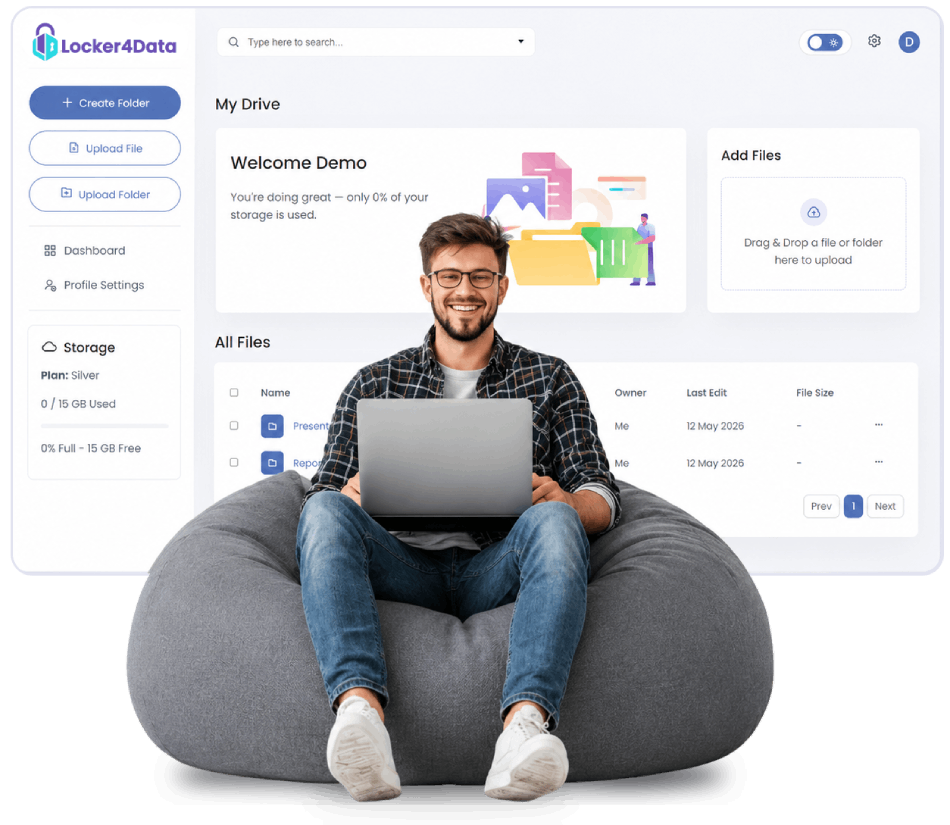
With Locker 4 Data easily browse and manage your files. With various storage options that may help keep your data organized and accessible as part of your everyday workflow.

Secure checkout Flexible payment options Flexible storage options Encryption may get
hero
App Features

Things that make Locker 4 Data truly different.

My Files
AllRecent
Brand Assets 4.2 GB
Q3_report.pdf 2.8 MB
Launch_video.mp4 1.1 GB

Smart File Store

Organize and manage files in a structured way that may help users keep their digital content arranged and easier to locate when needed.

Q3_report.pdf pdf
Report_notes.doc file

Global Search

Search inside documents, PDFs and images across every locker and find the right file in seconds.

Encrypted

Password Encryption

Files and access points may be protected using password-based security measures that could help limit unauthorized access and support safer data handling practices.

Upload
248 MB/s
Download
312 MB/s
design_v4.zip 57%
presentation.pdf 87%

Fast Upload/Download

File transfers may be handled with optimized speed, depending on network conditions and file size.

Your plan
Single Day1 GB/day Select
Silver15 GB/month Selected
Gold100 GB/month Select

Easily Modify Plan

Users may update or adjust their storage plan based on changing needs, offering flexibility to explore different options as usage requirements evolve over time.

How it works

Get started in four simple steps

1Step one

Create an account

Sign up to create an account that may give you access to basic storage features and informations.

••••••••••
Sign Up
2Step two

Choose your plan

Select a plan that may align with your storage needs and everyday usage preferences.

Single Day1 GB
Silver15 GB
Gold100 GB
3Step three

Get your dashboard

Access a dashboard that may help you manage files, settings, and storage options in one place.

Storage 312 / 500 GB
12,904 files4 folders
4Step four

Drop & organize files

Drop files and arrange them in folders that may help keep your content structured and easier to access.

Drop files to upload
Designs report.pdf
Why Locker 4 Data

Less time hunting for files.
More time doing the work.

Explore a cloud storage experience that may help you organize, locate, and manage your files with greater ease.

Flexible storage choices

A variety of storage options may be available to accommodate different file management preferences and evolving storage requirements.

Organized file management

Built-in organization tools could help users arrange, categorize, and locate files more efficiently within their storage space.

Access from anywhere

Stored files may be accessible through a centralized platform, helping users manage and review content whenever needed.

img
Pricing

Flexible Storage Plans for Every Stage

Single Day Pass
May suitable for who may want to explore basic features for a limited time.
$2/ day
  • 1 GB storage · 24 hours
  • Access to core features for short-term use.
  • Quick setup with no long-term commitment.
  • Simple plan to explore basic platform use.
Gold
May suitable for power users and small teams who need more.
$29.99/ month
  • 100 GB storage · Month
  • More space for growing file collections.
  • May suitable for ongoing personal or work-related needs.
  • May get more flexibility for large collaborations.
  • May get smoother experience during regular usage.
Platinum
May experience full-featured solution for growing teams.
$34.97/ month
  • 250 GB storage · Month
  • Designed for larger file volumes and team usage.
  • May suit groups managing large files and workflows.
  • May experience greater control over file access and distribution.
  • May Suitable for evolving needs and larger-scale operations
VIP
High-volume usage may suitable for enterprise teams.
$39.99/ month
  • 500 GB storage · Month
  • Designed for high-volume usage and larger storage or operational needs.
  • May suit organizations or groups managing shared workflows and resources.
  • Structured for smoother usage during frequent or large-scale operations and broader use cases.
FAQ

Answers before you ask

Users may store a variety of file types, including documents, images, videos, audio files, archives, and other digital content. Supported file types may vary depending on available features and the selected storage plan.

No. Access to files is controlled through system features and user-defined settings. Our data handling practices are designed to support privacy within the platform environment, and encryption measures are implemented to help protect your content.

If your storage limit is reached, may you will be notified within the platform. You may choose to upgrade your plan or free up space to continue uploading new files. Existing files will remain accessible within your account.

Plan changes may made at any time. Existing files remain accessible based on your account status and the terms of your selected plan. Upgrades typically take effect promptly, while downgrades may require your usage to align with the limits of the new plan.

Security measures may be in place to help protect stored data, though the level of protection can depend on system configurations and user practices.

Get started with
flexible storage options

Explore a plan that may suits your needs, including options with introductory access. Setup is designed to be simple and refreshingly fast.

Get Started Now